
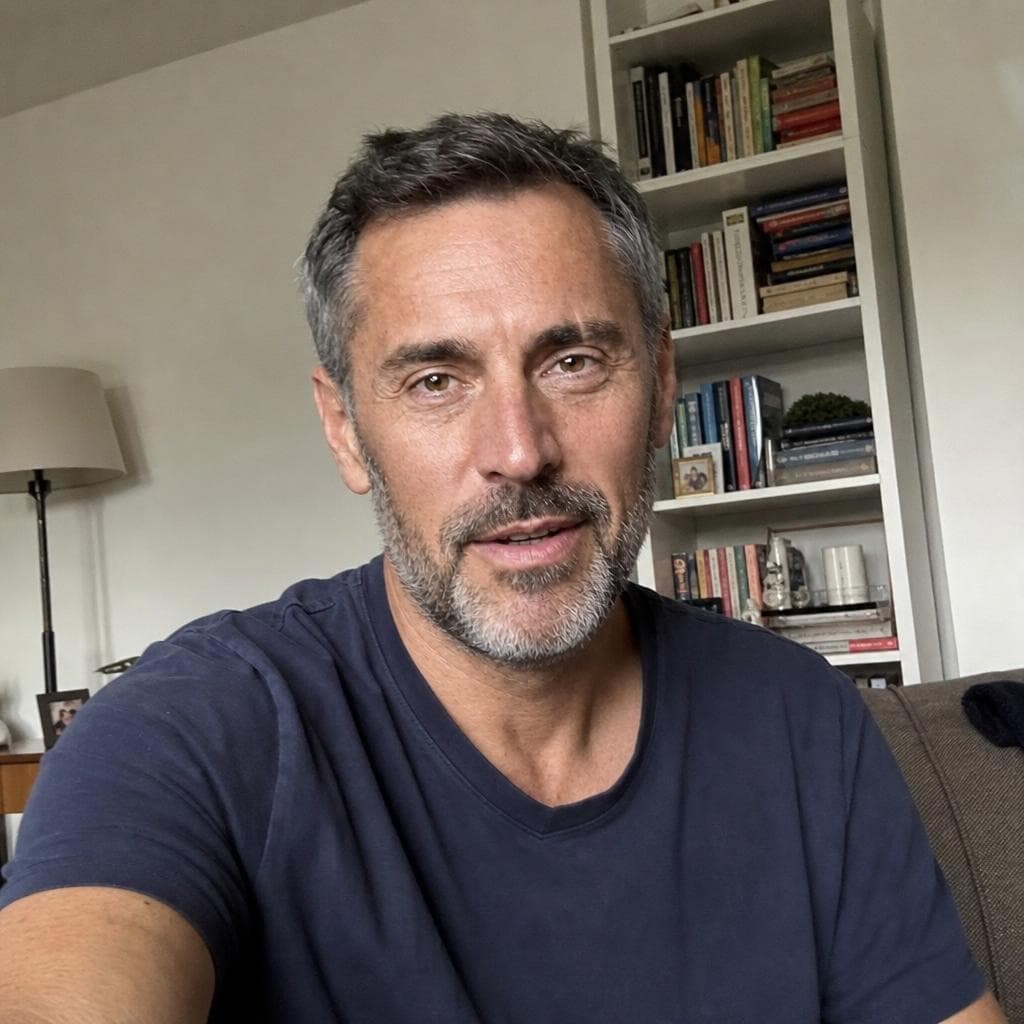
 Their photo
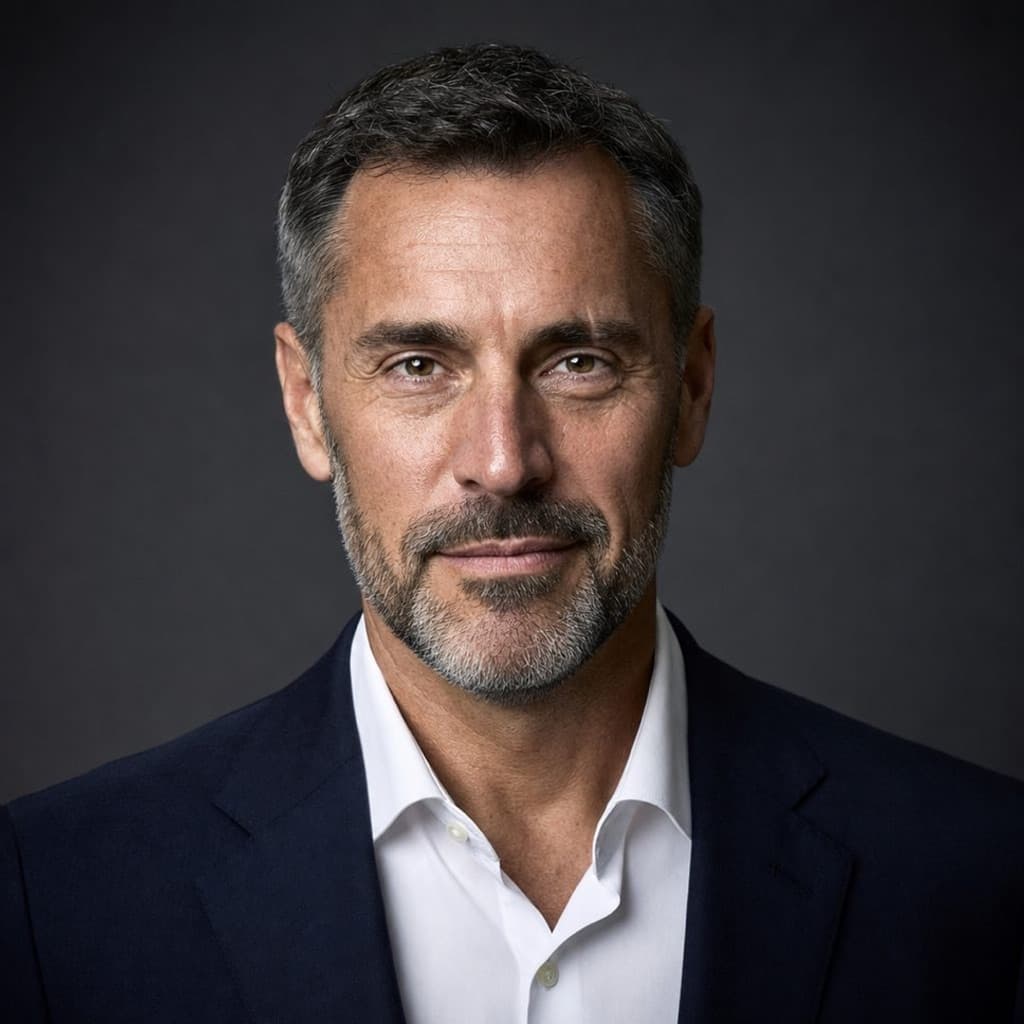 Headshot DP
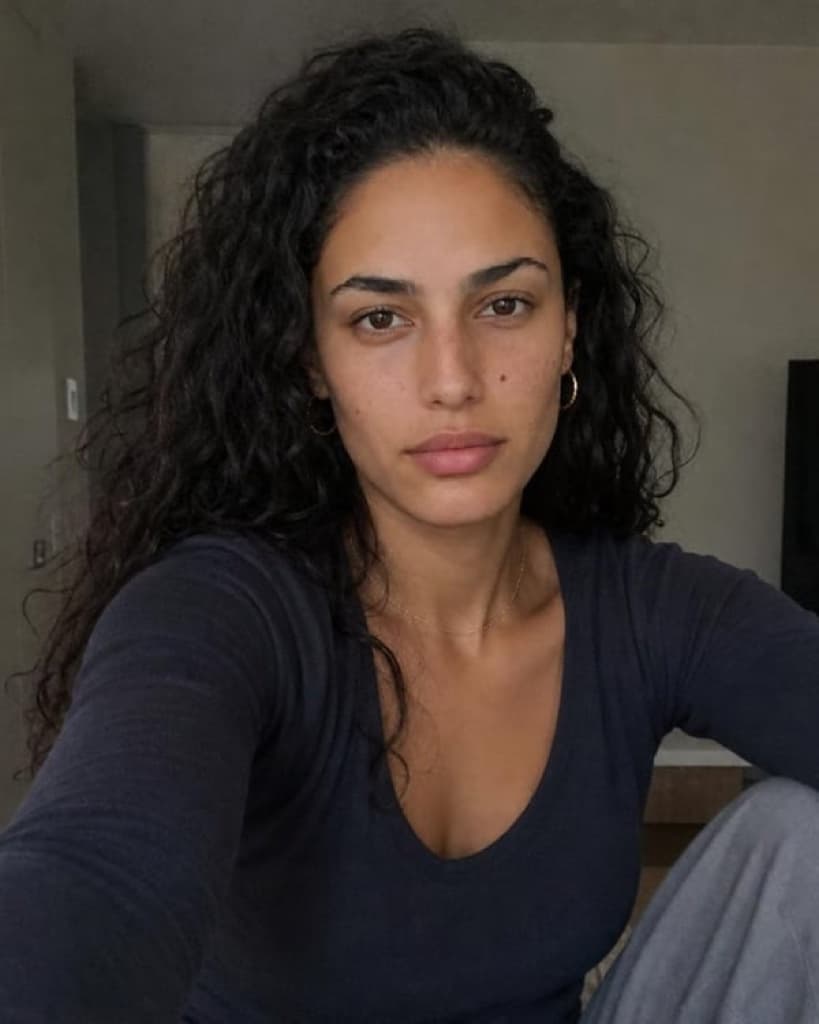 Their photo
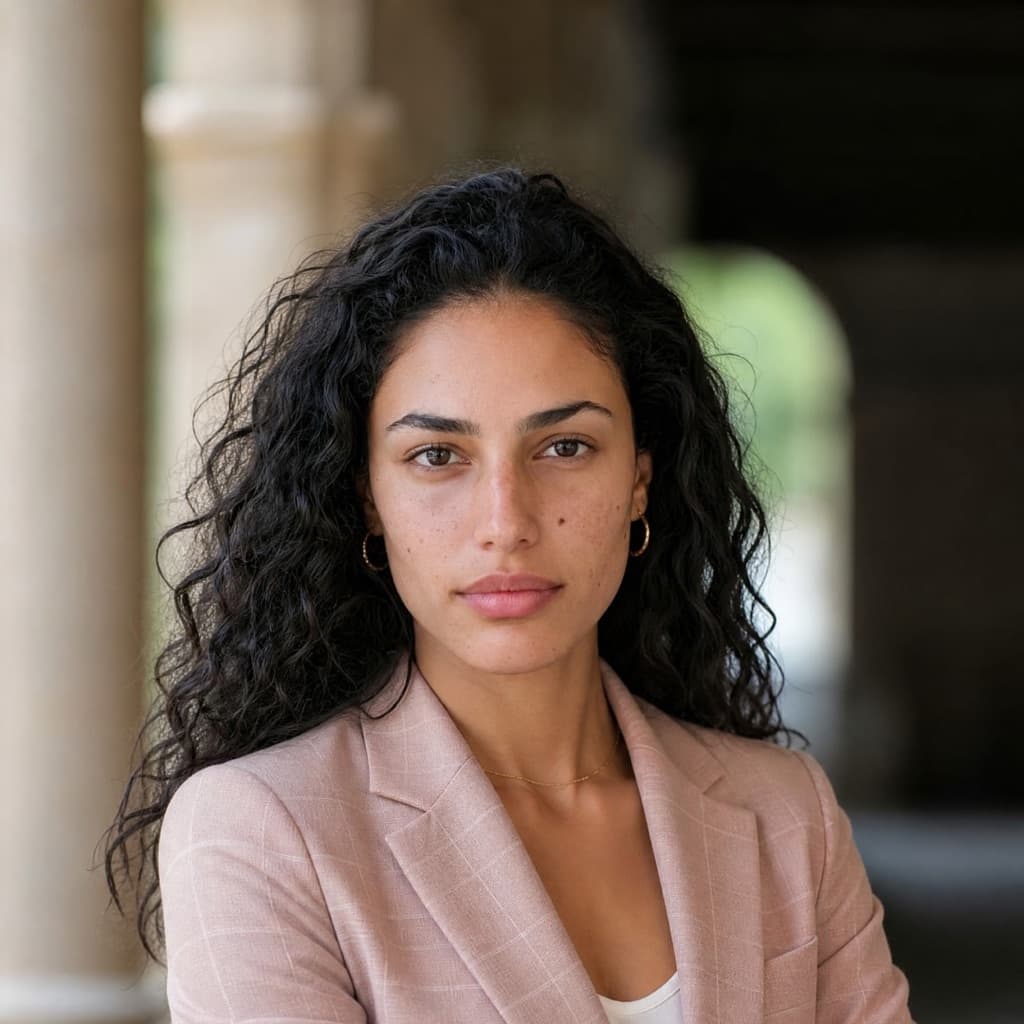 Headshot DP
LinkedIn headshots · see yourself before you pay
A LinkedIn headshot that actually looks like you.
Upload your everyday photos and see your first professional headshot free.
No card required · Ready in ~20 minutes · Pay only if you want the full set
Before and after
An everyday photo in. A professional headshot out.
 Their photo
 Headshot DP
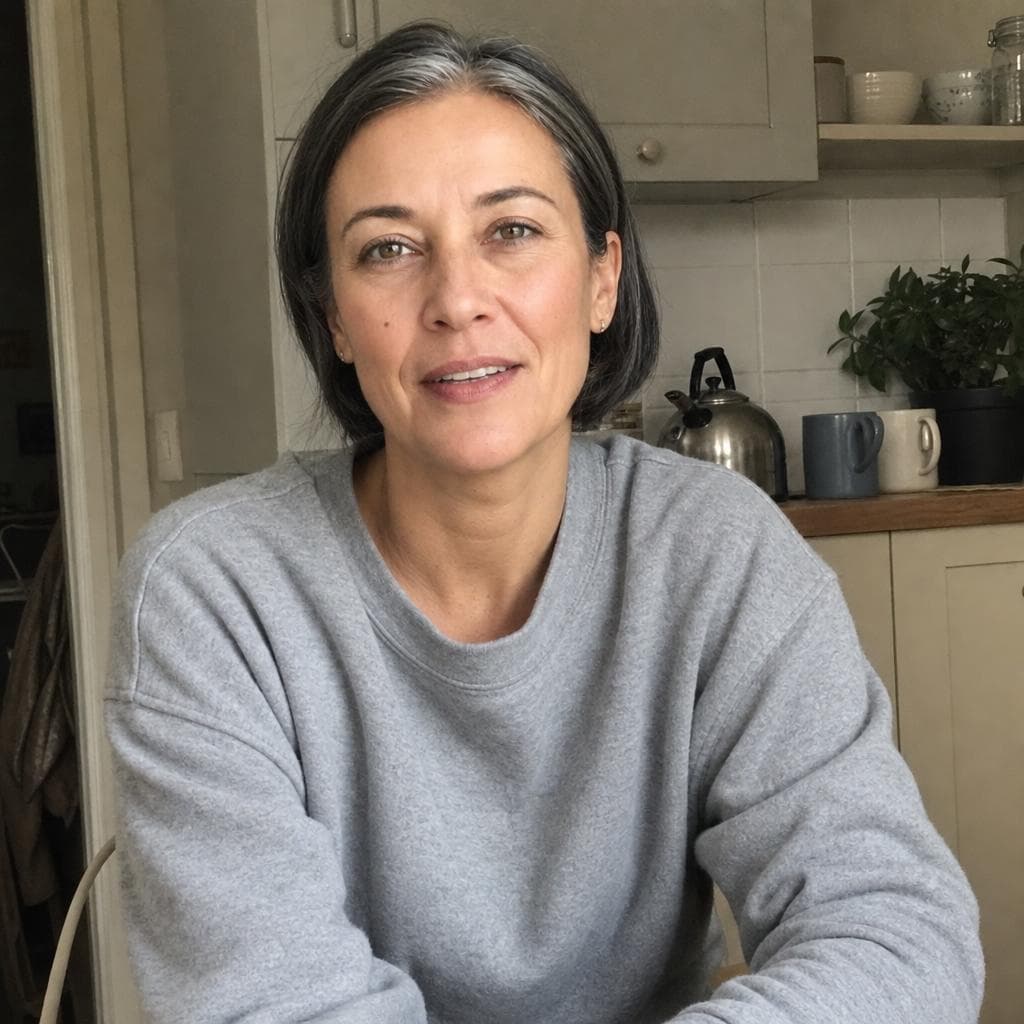 Their photo
 Headshot DP
Examples made by Headshot DP from the photo beside each — not customers.
See yourself before you pay
Your first headshot is free, and it is of you.
Most headshot sites take the money first and show you the result after. We make one of your headshots free — small and watermarked — so you judge the likeness on your own face, not on our examples. No card, and nothing to pay unless you want the full set.
How it works
Three steps, about 20 minutes.
Upload
Upload 8–20 clear everyday photos from your phone.
Preview
See your first Headshot DP result free.
Unlock
If you love it, choose a plan and unlock your full set.
Made for LinkedIn, your CV and your company page.
What a LinkedIn photo has to do
It is the first thing a recruiter or client sees.
Before your headline, before your experience. Here is what makes one work.
Your face, in a small circle
LinkedIn shows your photo as a small circle beside everything you post and every message you send. Head-and-shoulders framing keeps your face readable at that size.
The person on the video call
Smoothed skin is the first thing people notice. We keep your pores, lines and freckles, so nobody is surprised when they meet you.
A background that says nothing
An office, plain studio grey, outdoors or a city street. You choose, and it stays out of the way of your face.
Clothes you actually wear
A suit, a blazer, knitwear — or a saree, a barong or a turban, done properly. See the styles.
Likeness
Still you. Just professionally photographed.
We keep what makes you recognisable — your face, your features, your skin tone and texture, your hair — and change what a photographer would: the clothes, the background and the light.




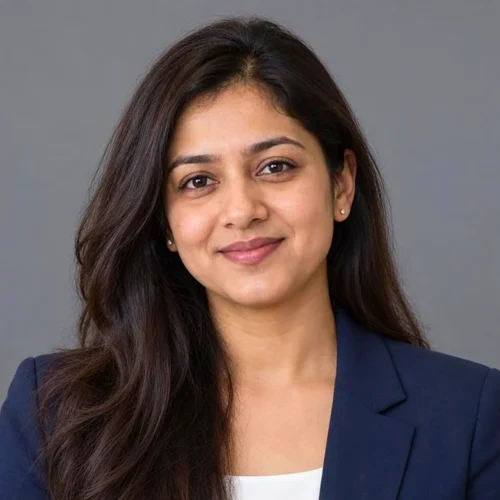
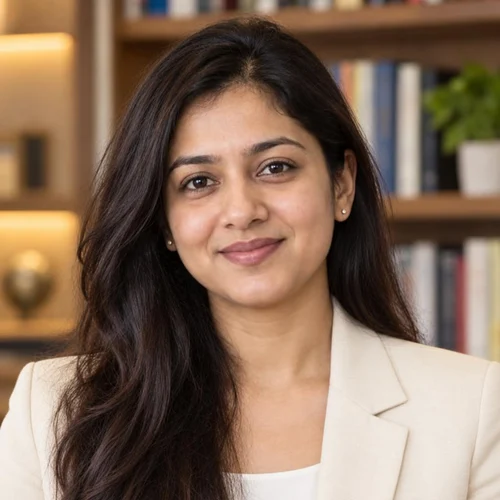
One example person, made by Headshot DP from the photos on the left.
A LinkedIn photo, done properly
Framing, clothes, background and the photos you start from.
Framing for the circle
LinkedIn crops your photo to a circle and shows it small. Head and shoulders, face in the upper middle, a little space above the hair. LinkedIn accepts JPG or PNG from 400×400 pixels, up to 8 MB.
Clothes for the job you want
One step smarter than your everyday work clothes, in a solid colour. What to wear for a headshot.
A background that stays quiet
Office, studio grey, outdoors or a city street, softly out of focus. It should say “professional” and then disappear.
Start from good photos
Ordinary phone photos from different days, no sunglasses or filters. Which photos to upload.
Looking for work? Headshots for job seekers. Need one for a company page or a CV too? Professional headshots. Curious how it works? Our AI headshot generator. Comparing services? HeadshotPro alternatives.
Reviewed 24 September 2026.
Pricing
See one free. Then pick how many you keep.
Free preview first — no card required.
- 8 HD headshots to download
- Chosen from up to 16 previews
- No watermark · yours for 30 days
Free preview first — no card required.
- 16 HD headshots to download
- Chosen from up to 24 previews
- No watermark · yours for 30 days
Free preview first — no card required.
- 24 HD headshots to download
- Chosen from up to 36 previews
- No watermark · yours for 30 days
Launch offer: LAUNCH20 takes 20% off at checkout until December 31, 2026 — applied automatically.
Love your preview? Unlock your full set from $25.
Privacy and trust
Your photos, your pictures, your call.
- One payment, no subscriptionYou pay once for a set. Nothing renews.
- No card for the free previewYou see your first headshot before you pay anything.
- Secure checkoutPayment on Stripe's own page. We never see your card.
- Your headshots are yoursUse them anywhere — profiles, websites, press, print. We claim no rights.
- Deleted after 30 daysYour uploads and every picture made from them. Sooner if you ask.
- Ready in about 20 minutesClose the tab if you like — we email you when they are ready.
Questions
Asked before paying.
What size should a LinkedIn profile photo be?
LinkedIn asks for a JPG or PNG between 400×400 and 7680×4320 pixels, up to 8 MB. Every picture we deliver is HD and well inside that, and framed so your face sits in the middle of LinkedIn’s circle.
Is it all right to use an AI headshot on LinkedIn?
Yes, if it looks like you. The person a recruiter meets on a video call should be the person in the photo, which is why you see one of your own free before paying.
Should my LinkedIn photo match my other profiles?
It helps. The same picture on LinkedIn, your company page and your email signature is what makes you recognisable to someone who has only seen one of them.
Will it actually look like me?
That is what we optimise for over everything else. Your headshots are made from your own photos, and you see one free before you pay — so you judge the likeness on your own face, not on our examples.
Can I see a result before paying?
Yes. Your first headshot is free: one picture of your own face, small and watermarked. No card needed.
How many photos should I upload?
8 to 20 everyday photos. Different days, clothes and places matter more than any one of them being good. Avoid sunglasses, hats, group shots and heavy filters.
What happens if my free preview isn't good?
You have paid nothing, and you don't have to. If the preview fails to render, the free credit comes back. The free preview is one per person, so it is worth using clear, varied photos — they make more difference than anything else.
How long does generation take?
About 20 minutes. You can close the tab — we email you when your pictures are ready.
Is this a subscription?
No. One payment for one set. Nothing renews, and no card is kept on file.
Who owns my headshots?
You do. You can use what you buy however you like, and we claim no rights over your finished pictures.
Can I use them on LinkedIn or company websites?
Yes — LinkedIn, your company website, a CV, press, print. They are yours to use however you like.
What happens to my uploaded photos?
They are used to make your pictures and nothing else. Your uploads and every picture made from them are deleted after 30 days, and you can delete everything sooner from your order page.
Do you use customer photos for training?
No. Your photos are used to make your own pictures and nothing else — never to train anything of ours, never shared, never sold.
See your own headshot first.
No card required · Ready in ~20 minutes · Pay only if you want the full set
See My Headshot Free →Love your preview? Unlock your full set from $25.