Blog
What happens to your photos
Who sees the photos behind your LinkedIn headshot, what they are used for, and when they are deleted. The short version is thirty days, and nothing is trained on your face.
1 September 2026
Handing over twenty photographs of your own face to a website is a bigger ask than most sites admit. It is worth saying plainly what happens to them, in the order it happens.
This applies to every headshot you make here, whether it ends up on LinkedIn, a CV or a company website.
What they are used for
Building a model of your face, and making your pictures. That is the whole list.

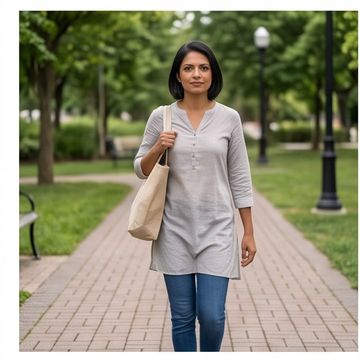
They are not used to train anything of ours, they are not sold, and they are not shown to anyone. There is no gallery of customers' faces, and your photos do not make the next person's headshots better.
Who can see them
You, signed in as you. That is the whole list too.
There is no web address that shows a picture of you to whoever happens to have it — the pages that show your pictures check who you are first. The previews you choose from are small and watermarked on purpose; the clean, full-size version is not sent to your screen until you have bought it, and then only through a link that stops working shortly afterwards.
When they are deleted
After 30 days. The photos you uploaded, the model built from them, and every picture made from it. Not archived, not anonymised — deleted.
Download what you want before then. That window is not a nudge to buy; it is the point. A service that keeps your face indefinitely because storage is cheap is a service that has to be trusted indefinitely.
Two things are deliberately kept afterwards, and both are kept for your benefit as much as ours:
- What you agreed to, and when. It is the record of your consent, and deleting it would remove your evidence along with ours.
- What you paid, because a receipt you cannot produce is not a receipt. Tax law requires it too.
Your account and order history stay until you ask us to close the account.
What we ask you to agree to, and when
Before you upload anything, not after. The consent is recorded as its own thing rather than as a box you cleared on the way past, and it survives the deletion above — that is what makes it evidence.
The part that is on you
Upload photographs of yourself. Not your friend, not a colleague, not somebody you would like to see in a suit. It is in the terms, and it is the one rule here that we cannot check for you.
The full detail — every category, every retention period, and how to have it all deleted sooner — is on the privacy page. If something there is unclear, email support@headshotdp.com and a person will answer.
Read next
 Basics
What is a headshot, and what is a DP?
A headshot is a kind of photograph. A DP is where you put it. What each word means, where each is used, and why one picture has to do both jobs.
Read article → Buying
AI LinkedIn headshots that don't look AI: six checks
How to judge an AI LinkedIn headshot before you pay, and how to check the pictures you get. Six things to look at, in the order that catches the most.
Read article → Style
StyleWhat to wear for a LinkedIn headshot
Your LinkedIn headshot is seen a hundred pixels across. Plain beats patterned, collars add structure, and traditional dress is business dress.
Read article →